
LabelPeel
Print labels from Excel & Google Sheets, without the mail merge.
Print labels from Excel & Google Sheets, without the mail merge.
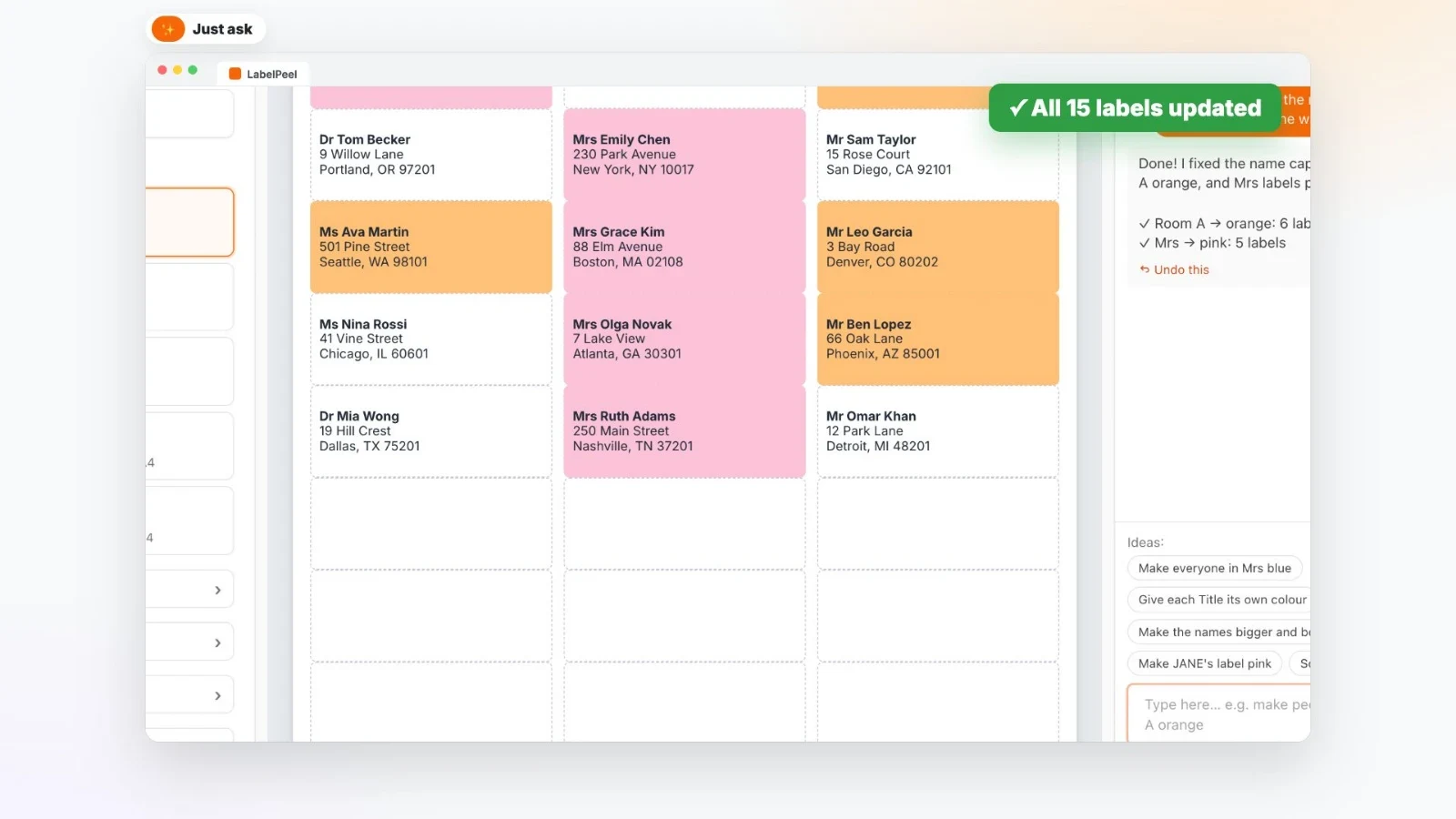
LabelPeel is a browser tool for printing labels straight from a spreadsheet. Copy your rows from Excel, Google Sheets or Numbers, or drop in an .xlsx or CSV file, and every row becomes a label. Pick your sheet by typing the code on the pack: Avery-compatible 5160, L7160 and more than 80 others, in US Letter and A4, plus custom sizes.
You can restyle labels in plain English. Type "make Room A orange" and only the matching labels change. Click any label to fix a typo, turn a column into a barcode or QR code, add a logo, or start on a half-used sheet. A plain-paper test page helps line up your printer.
When you're done, print at actual size or download a PDF. Labels stay saved in your account for next time. There's no Word mail merge and nothing to install, and it's free while in beta, no card needed.
Same lane or overlapping tags. Stay in the graph.

Productivity
Free AI that answers your "Should I...?" questions with a clear yes or no
Web App

Productivity
A visual dashboard for meaningful life goals and progress.
Web App

Productivity
Free browser teleprompter with voice-following scroll and a floating view
Web App

Productivity
The AI Commerce Platform for Modern Brands.
Web App

Productivity
Take control of your screen time
iOS app

Productivity
Find Any Saved Link in Seconds — Free Bookmark Manager
Web App

Productivity
Your Mac has a notch. Now it has a dad.
Mac App

Productivity
Scan a web page and bulk download its files, filtered by type
Browser Extension

Productivity
Find any file on your Mac before you finish typing
Mac App

Productivity
Voice to text in any app on your Mac and iPhone
iOS app